
Metrolist

Metrolist is an open-source Android music player with YouTube Music support, offline listening, lyrics, playlists, and custom playback features.
Metrolist – YouTube Music Client for Android
Metrolist is an Android music player designed as an alternative way to enjoy content from YouTube Music. It combines music discovery, background playback, lyrics, playlists, offline caching, and several playback controls in a clean interface. The project is also open source, making its development and code more transparent than many closed-source music applications.
If you want a music player that gives you more control over the listening experience, Metrolist is worth learning about. It supports features for everyday listening while keeping the interface relatively simple. This guide explains what Metrolist is, its main features, how it works, installation, safety considerations, and what users should know about its current maintenance status.
What Is Metrolist?
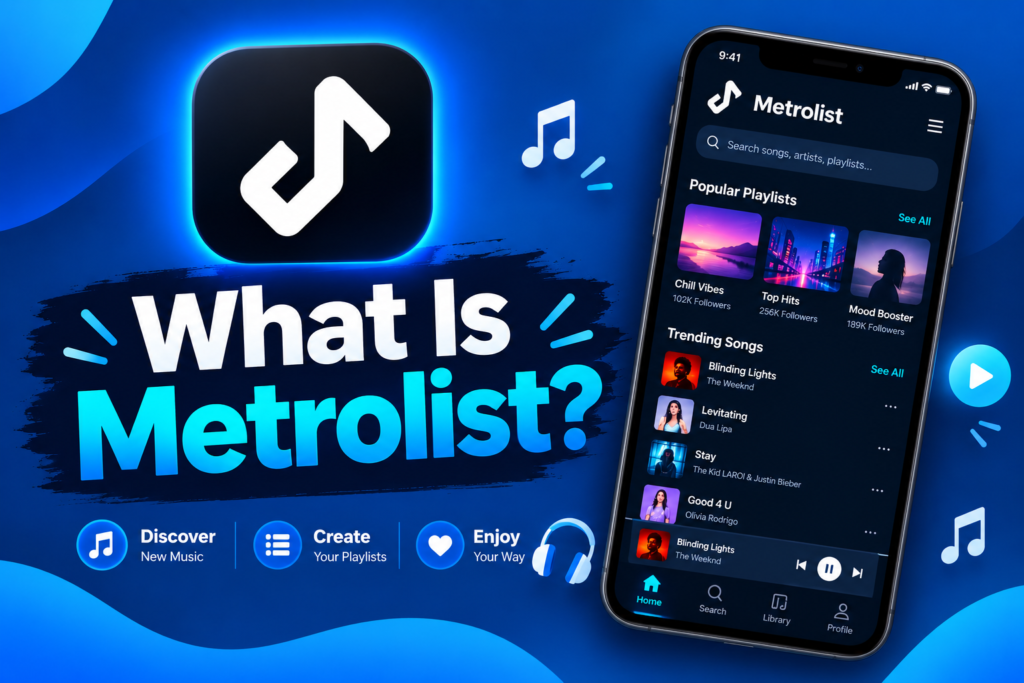
Metrolist is a YouTube Music client for Android. Instead of being a completely independent music catalog, it works with YouTube Music content and provides its own interface and playback experience.
The app is aimed at people who want a focused music experience with features such as background playback, lyrics, playlists, offline caching, themes, and advanced audio controls. It is particularly interesting for Android users who prefer open-source software and want more customization than they may get from a standard music application.
Metrolist is not the official YouTube Music application. It is a separate open-source project developed as a third-party client.
How Metrolist Works
Metrolist connects with YouTube Music-related content to provide music discovery and playback through its Android interface. Depending on how you use the application, you can browse music, manage playlists, view lyrics, and customize playback.
Users can also connect their YouTube account when they want account-related features and synchronization. However, an account is not necessarily required for every basic listening function.
Is Metrolist an Official YouTube Music App?
No. Metrolist is a third-party, open-source YouTube Music client for Android. It should therefore be viewed separately from the official YouTube Music app.
This distinction is important because changes made to YouTube Music or related services can potentially affect third-party clients.
Why Use Metrolist?
There are many Android music players, but Metrolist takes a different approach by combining YouTube Music content with a focused music-player interface.
Clean and Distraction-Free Listening
Metrolist is designed around music rather than a large collection of unrelated content. Its interface focuses on browsing, playback, playlists, lyrics, and other listening controls.
For users who prefer a straightforward music experience, this can make everyday navigation easier.
Background Playback
Background playback allows music to continue while you use other applications or turn off your screen. This is useful when listening to music while browsing the web, messaging friends, working, or commuting.
Offline Listening
Metrolist supports offline caching, allowing supported content to be available when an internet connection is unavailable. This can be particularly useful during travel or in areas with unreliable connectivity.
Users should understand that offline functionality is different from permanently owning or redistributing copyrighted music files.
Personalized Music Library
The app provides tools for organizing and accessing music through playlists and library-related features. When account integration is used, users can also benefit from synchronization with their YouTube Music-related data.
Flexible Audio Controls
Metrolist goes beyond basic play and pause controls. Depending on the current version, users can access options such as equalization, normalization, tempo, pitch, crossfade, and other playback controls.
Customizable Interface
Themes and interface settings allow users to personalize the appearance and feel of the application. This is useful for people who want their music player to match their preferred visual style.
Metrolist Features
Metrolist includes a broad selection of features designed for music playback, discovery, and personalization.
Background Playback
Background playback lets you continue listening while using other applications or with the screen turned off. It makes the app more practical for long listening sessions because the music does not have to remain on screen.
Offline Music and Caching
Metrolist provides offline caching for supported music content. Once content has been cached, you can listen without continuously streaming it from the internet.
This can help reduce data usage and make listening more convenient when your connection is weak or unavailable.
Lyrics are an important part of the Metrolist experience. Supported tracks can display lyrics while the music plays, with synchronized lyrics making it easier to follow along.
For people who enjoy learning songs or simply reading lyrics while listening, this is a useful addition.
Playlist Import and Management
Metrolist supports playlist-related functionality, allowing users to organize music into collections. Playlist management makes it easier to separate music by mood, artist, genre, activity, or personal preference.
YouTube Account Integration
Users can connect their YouTube account when they need account-related functionality. This can provide synchronization with relevant YouTube Music data and personalized content.
However, users should always consider account security before entering credentials into any third-party application.
Quick Picks and Music Discovery
Quick Picks and discovery features help users find music without manually searching for every track. This makes the application more useful when you want recommendations or simply want something new to play.
Advanced Playback Controls
Metrolist offers more playback flexibility than a basic music player. Users can manage queues and adjust different aspects of playback according to their preferences.
Equalizer and Audio Controls
Audio-focused users can benefit from additional controls such as an equalizer and other sound-related options. Depending on the available version, playback settings can include volume normalization, tempo adjustment, and pitch control.
These tools are useful when you want to fine-tune the listening experience rather than relying only on default audio settings.
Sleep Timer
The sleep timer is useful when you listen to music before going to bed. Instead of leaving playback running indefinitely, you can set a period after which playback stops.
Themes and Interface Customization
Metrolist provides customization options that can change the application’s visual experience. Themes can make the interface more comfortable to use in different lighting conditions and allow users to personalize the app.
Home Screen Widget
A home-screen widget can provide quick access to music controls without requiring you to open the full application every time. This is particularly convenient for frequently used playback actions.
Crossfade
Crossfade can create smoother transitions between tracks by reducing the silence between songs. It can be especially useful for continuous listening and playlists where a seamless flow is preferred.
Last.fm Integration
Metrolist also includes support for Last.fm-related functionality. Users who already use Last.fm can benefit from integrating music listening with their existing tracking workflow when supported.
Listen Together
Listen-together functionality adds a social element to music playback. It can allow compatible users to coordinate their listening experience instead of treating music as an entirely individual activity.
Metrolist Playback and Audio Experience
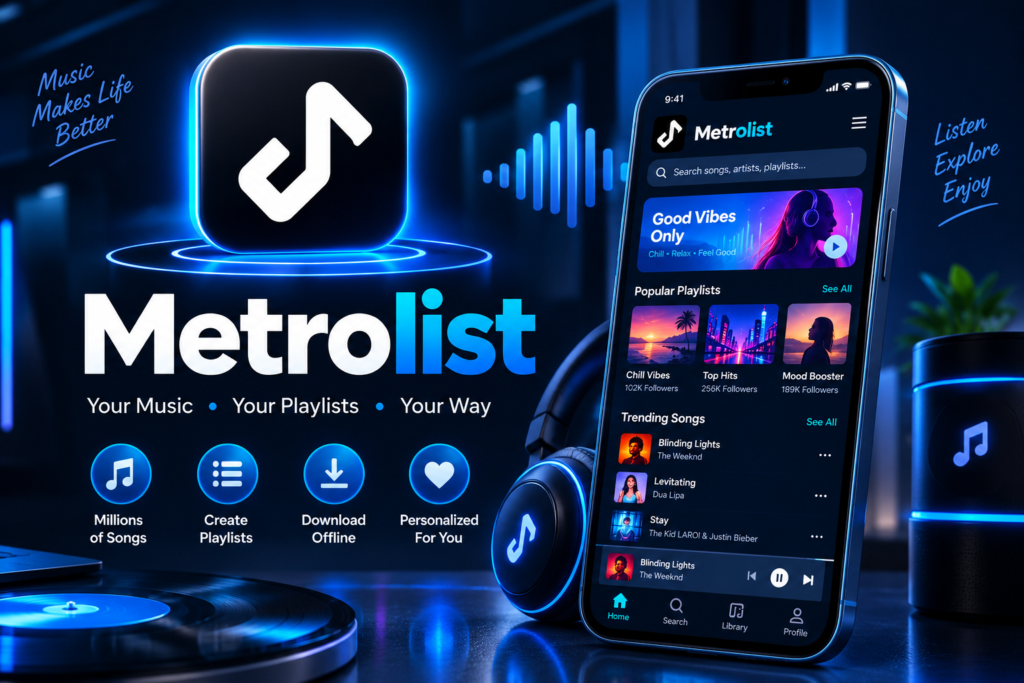
The playback experience is one of Metrolist’s strongest areas. Rather than offering only basic controls, the application provides several options for adjusting how music behaves.
Background Playback
You can continue listening while performing other tasks on your Android device. This makes Metrolist suitable for long sessions where you do not want the music player constantly visible.
Queue and Playback Controls
Queue management allows you to control what plays next. You can arrange tracks and manage your listening session without repeatedly searching for individual songs.
Audio Quality
The actual listening quality depends on the available source, connection, device, and supported playback configuration. Metrolist provides a convenient interface for listening, but users should not assume that a third-party client automatically improves the underlying audio source.
Equalizer
The equalizer gives users more control over sound characteristics. Different settings can be useful for headphones, speakers, podcasts, or different musical styles.
Volume Normalization
Volume normalization can help reduce noticeable differences between tracks that have different loudness levels.
Tempo and Pitch
Tempo and pitch controls are useful for users who want to adjust playback beyond normal speed. These features can also be useful when practicing songs or listening to specific types of content.
Crossfade
Crossfade can make playlist transitions feel smoother by blending the end of one track with the beginning of another.
Sleep Timer
The sleep timer is a simple but useful feature for nighttime listening. It prevents playback from continuing indefinitely after you fall asleep.
Metrolist Music Discovery and Library
Metrolist is not only about playing a single song. Its discovery and library features make it possible to build a more organized listening experience.
Quick Picks
Quick Picks provide an easy way to find music without starting a completely new search every time.
Search and Music Discovery
You can use the available discovery tools to find artists, albums, tracks, and other music-related content supported by the service.
Playlists
Playlists help organize music around different activities and preferences. You can create collections for workouts, studying, relaxing, travel, or simply your favorite songs.
Favorites and Library
A structured library makes frequently played music easier to access. Instead of searching repeatedly, you can keep preferred content organized in one place.
YouTube Music Account Sync
When account integration is available and enabled, relevant information can be synchronized with your YouTube Music environment. This can make Metrolist more useful for people who already have an established music library.
Offline and Cached Content
Cached content can make listening more convenient when mobile data is limited. Users should regularly manage cached files because offline content can consume significant storage space.
Metrolist Interface and Customization
A music application is something users may interact with every day, so interface design matters.
Clean Interface
Metrolist keeps its primary focus on music playback, discovery, and library management. The straightforward structure can make common tasks easier to find.
Themes
Themes give users control over the application’s appearance and can make extended listening more comfortable.
Home Screen Widget
The widget provides convenient access to playback controls from the Android home screen.
Custom Playback Experience
Different listeners have different preferences. Metrolist provides multiple playback settings so users can create an experience that suits their listening habits.
Library Organization
Playlists and library features help prevent a large music collection from becoming difficult to navigate.
Metrolist Screenshots
Screenshots can give new users a better idea of what the application looks like before installation.
Useful Metrolist screenshots include:
When evaluating screenshots, remember that the interface can change between versions.
Metrolist Download
If you are looking for a Metrolist download, the safest approach is to obtain the application from a trusted project or release source and verify that the file corresponds to the intended version.
The project has historically provided different release types, including stable releases and development builds.
Download the Latest Metrolist Version
Before installing an APK, check the version number and release information. Using an outdated build can cause compatibility problems, especially when the underlying YouTube Music service changes.
For the latest release information, users should check the project’s official release source rather than relying on random APK mirrors.
Stable Release vs Nightly Build
A stable release is generally the better choice for everyday users because it is intended to provide a more tested experience.
Nightly or development builds can contain newer changes, but they may also include unfinished functionality or bugs.
Choose a stable release if:
You want reliability and do not need experimental changes.
Choose a development build if:
You understand the risks and specifically want newer development changes.
Where to Get Metrolist
The project’s official source repository and release information should be treated as the primary reference for authentic builds.
Be careful with websites that rename modified APKs, add aggressive advertisements, bundle unknown files, or make unsupported claims about premium features.
How to Install Metrolist on Android
Installing an Android APK is generally straightforward when you have obtained a legitimate installation file.
Before Installation
Make sure your Android device has sufficient storage and that the downloaded file comes from a source you trust.
Download the APK
Obtain the appropriate Metrolist release for your device from a reliable source.
Allow Installation if Required
Depending on your Android version and browser, you may need to allow your browser or file manager to install applications from outside the standard app store.
Only enable this permission when necessary, and disable it again afterward if you do not need it.
Install Metrolist
Open the downloaded APK and follow the Android installation prompts. Wait for the installation to complete before launching the application.
Open and Set Up the App
After installation, launch Metrolist and review its available settings. You can configure themes, playback preferences, and other options according to your needs.
Sign In to YouTube Music if Needed
If you want account-related features, follow the application’s supported sign-in process. Never enter your credentials into an unofficial webpage claiming to be a Metrolist login page.
How to Use Metrolist
New users do not need to configure every setting immediately. Start with the basic playback experience and gradually adjust the application.
Getting Started
Open Metrolist, browse available music, and select a track to begin playback.
Finding Music
Use search and discovery features to locate artists, albums, playlists, or individual tracks.
Creating or Managing Playlists
Organize frequently played tracks into playlists based on your preferences.
Using Offline Playback
Cache supported content when you have a reliable connection, then manage your cached music to keep storage usage under control.
Reading Lyrics
Open the lyrics interface while a supported track is playing to follow the available lyrics.
Customizing Playback
Explore equalizer, normalization, speed, pitch, crossfade, and other playback settings when available.
Using the Sleep Timer
Set a timer when you want music to stop automatically after a chosen listening period.
Connecting Your YouTube Music Account
If you require personalized or synchronized features, use the supported account integration options inside the application.
Metrolist Account and YouTube Music Integration
Account integration can make Metrolist more useful, but it is not something every user needs.
Do You Need a YouTube Account?
Basic functionality may be available without signing in, while some personalized features can require account access.
The exact behavior can change as the project and underlying service evolve.
What Happens When You Sign In?
Account integration can provide access to relevant personalized data and synchronization features supported by Metrolist.
What Can Be Synchronized?
Depending on the current implementation, account-related information can include aspects of your music library and playlists.
Using Metrolist Without an Account
Users who prefer not to connect an account can use the functionality that does not require authentication. The available experience may be more limited.
Account and Privacy Considerations
Because Metrolist is a third-party client, users should understand what they are connecting and where they obtained the application. Always use the official project information when evaluating account-related functionality.
Is Metrolist Safe?
Safety depends on how and where you obtain and use the application.
Metrolist is an open-source project, which provides greater transparency than a completely closed application because its source code is publicly available. However, users should still download builds from trusted sources.
Is Metrolist Open Source?
Yes. Metrolist is an open-source project. Its public source repository allows users and developers to inspect the project’s code and follow development activity.
Why the Source Code Matters
Open-source development allows the community to review code, report issues, contribute changes, and understand how the project is developed.
It does not automatically mean that every third-party APK claiming to be Metrolist is safe.
Downloading From Trusted Sources
Avoid APK websites that offer suspiciously modified versions or ask you to install additional unknown applications.
Third-Party APK Risks
Modified APKs can contain changes that are not part of the original project.
Is Metrolist Legal?
Metrolist as an Open-Source Client
The fact that software is open source does not automatically determine how every use of that software is treated under copyright law or platform terms.
YouTube Music Terms and Third-Party Clients
Users should understand that third-party clients can interact with services differently from official applications. Service terms can change, and users are responsible for using software appropriately.
Copyright and Offline Content
Offline or cached functionality should not be interpreted as permission to redistribute copyrighted music. Respect copyright and the rights of artists, labels, and content owners.
Responsible Use
Use Metrolist responsibly and follow applicable laws and service policies in your country.
Metrolist Maintenance Mode Explained
One of the most important things prospective users should know is the project’s current development status.
The official project describes Metrolist as being in maintenance mode. This generally means the focus is on maintaining the existing application, fixing problems, and making limited changes rather than pursuing rapid feature development.
What Does Maintenance Mode Mean?
Maintenance mode does not necessarily mean the application immediately stops working. It means users should have realistic expectations about future development.
Is Metrolist Still Working?
The application can continue to work while it is maintained, but its long-term behavior depends partly on changes to the services it interacts with.
Will Metrolist Receive Updates?
Maintenance-mode projects can still receive fixes and other necessary updates. However, users should not expect the same level of new feature development as an actively expanding project.
What Happens When YouTube Music Changes?
Third-party clients can be affected when the underlying service changes its systems or APIs. A maintenance-mode project may have fewer resources available for major compatibility changes.
Should You Still Install Metrolist?
For users who like its interface and feature set, Metrolist can still be useful. However, the maintenance status should be considered before making it your only music application.
Metrolist vs YouTube Music
Metrolist and YouTube Music serve similar listening needs but provide different experiences.
| Feature | Metrolist | YouTube Music |
| Android music experience | Yes | Yes |
| YouTube Music content | Yes | Yes |
| Third-party client | Yes | No |
| Open source | Yes | No |
| Interface customization | Extensive | More controlled |
| Background playback | Supported | Depends on official account/plan |
| Offline features | Supported | Supported through official features |
| Official Google application | No | Yes |
| Development model | Open source | Proprietary |
The better option depends on your priorities. YouTube Music is the official service and offers the most direct support, while Metrolist is aimed at users who prefer an open-source alternative interface and additional customization.
Metrolist Pros and Cons
Pros
Cons
Who Should Use Metrolist?
Metrolist is particularly suitable for Android users who want an alternative YouTube Music experience and value customization and open-source software.
Best for Music Listeners
If most of your listening happens on Android and you want background playback, playlists, lyrics, and flexible controls, Metrolist can be worth considering.
Best for Users Who Want More Control
Listeners who enjoy adjusting playback settings and customizing their interface may appreciate Metrolist more than a basic music application.
Best for Open-Source Enthusiasts
People who prefer open-source software may find the project’s public development model appealing.
Who May Prefer YouTube Music Instead?
Users who want official support, a first-party application, predictable service integration, and the standard Google/YouTube Music experience may be better served by the official YouTube Music application.
Metrolist Alternatives
Metrolist is not the only option for Android music listening. Depending on your priorities, you can also consider other music applications and YouTube Music-compatible solutions.
When choosing an alternative, compare important factors such as source availability, offline functionality, account support, privacy, customization, and long-term maintenance.
A good alternative should solve the specific problem that led you to Metrolist rather than simply offering another music player.
Metrolist FAQ
Final Verdict – Is Metrolist Worth Using?
Metrolist is an interesting option for Android users who want a different way to interact with YouTube Music. Its combination of background playback, offline caching, lyrics, playlists, customization, audio controls, and open-source development gives it a strong identity beyond a basic music player.
Its biggest limitation is also important: the project is currently in maintenance mode. That does not automatically make the application unusable, but it means prospective users should understand that future development may be more limited than with actively developed applications.
For users who value an open-source Android music experience and appreciate control over playback and interface settings, Metrolist can still be worth considering. For users who prefer official support and the most direct relationship with YouTube Music, the official application remains the simpler choice.